
What is an HTTP API Tool?
An HTTP API Tool is a REST API definition that the LLM can invoke at runtime. Typical use cases:- Call your own backend endpoints
- Trigger n8n automations
- Sync data with a CRM
- Fetch data from external APIs (weather, pricing, availability, etc.)
- Write/update/read data using Rest API
- which tool to call
- when to call it
- what parameters to send
- Your prompts: node-level instructions in simple english (or any language)
- Tool name
- Tool description
- Parameter definitions
Defining an HTTP API Tool
1. Tool Name
- Must be clear and action-oriented.
-
Examples:
capture_lead_interest,fetch_weather, ‘create_crm_contact’, etc
2. Tool Description
- Extremely important
- This is how the LLM decides when to use the tool.
- Write it in plain, explicit English.
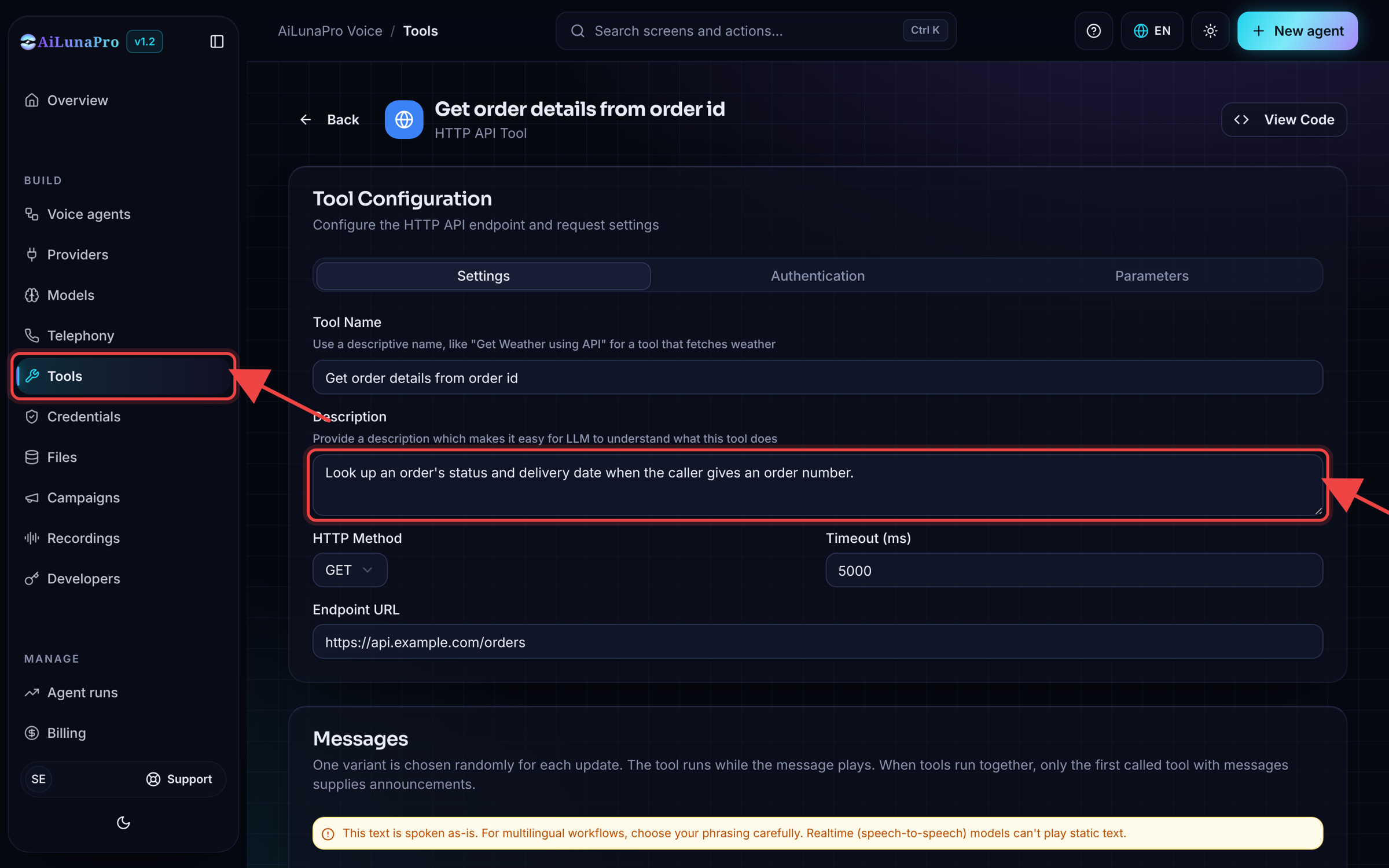
3. Endpoint Configuration
- Full URL (must include
http://orhttps://) - Supports REST methods
Common mistake: forgetting https:// in the URL.
4. Authentication & Headers
- Add custom authentication
- Add custom headers
- Works with internal services and third-party APIs
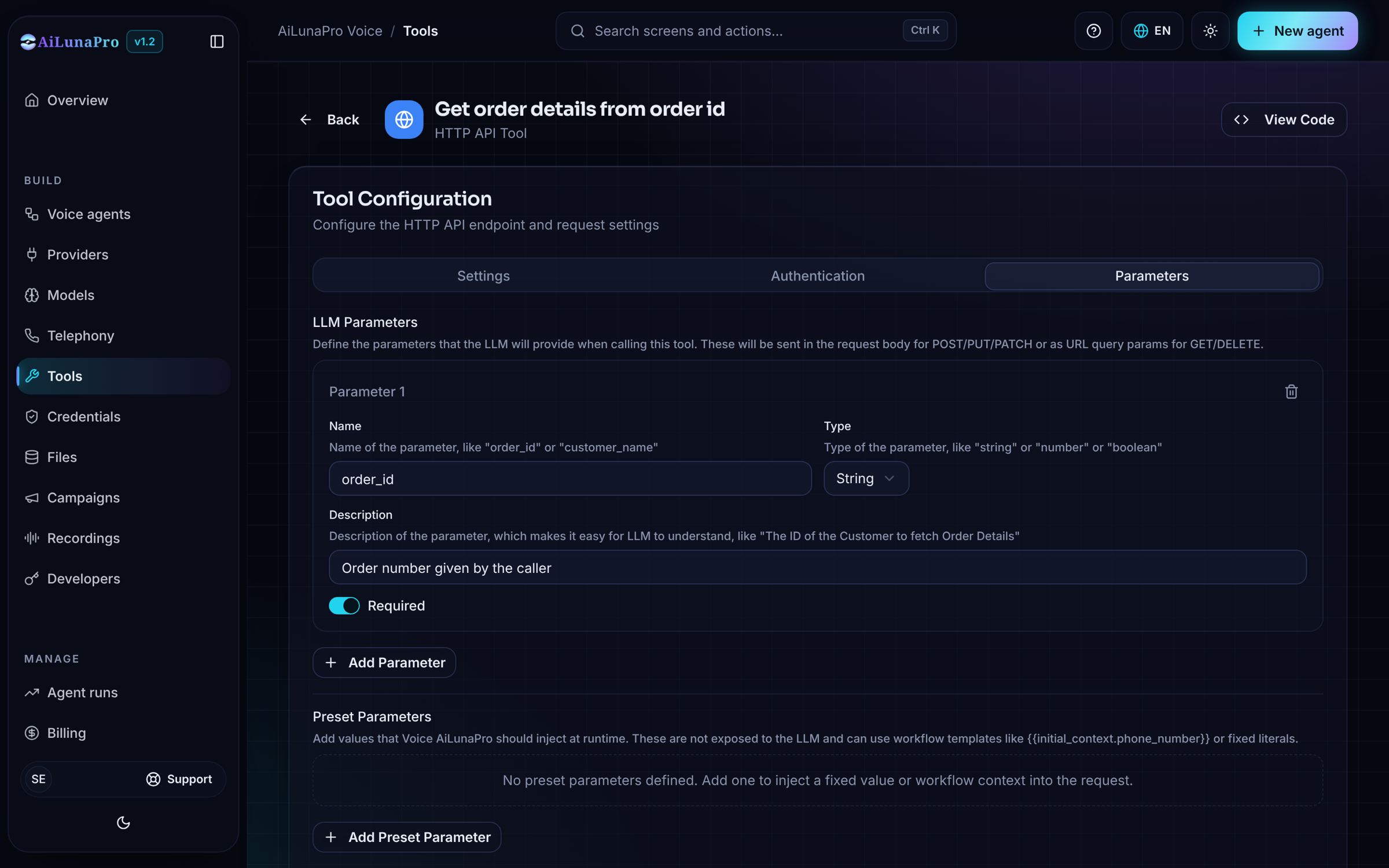
5. Parameters
Each parameter must have:- Name
- Type
- Description
- Required/Optional flag
- Start with string parameters when possible
- Be explicit in what the value represents
- Mark only truly mandatory fields as required
- interest (string): “Set to true if the user clearly shows intent to buy or wants follow-up. Otherwise false.”
Send the workflow run ID
Every call and text chat has a reservedinitial_context.workflow_run_id that external context cannot override. To send it, add a Preset Parameter:
The preset is sent in the request body for POST/PUT/PATCH or query parameters for GET/DELETE. With a custom body template, include
{{workflow_run_id}} where needed. For UI tool tests, enter a sample numeric value.
Body format
POST, PUT, and PATCH requests send a JSON body (application/json) by default. Some APIs only accept form-encoded bodies and reject JSON. For those, set Body Format on the Parameters tab to Form-encoded (body_format: "form" in the API). Parameters are then sent as application/x-www-form-urlencoded fields:
- A list value repeats the field name once per item, e.g.
To=a&To=b. - An object value is sent as a JSON string, because form fields cannot nest.
Messages
Use Messages to add text or recording variants when the tool starts, and updates after a delay in milliseconds. One variant is chosen randomly for each event and timing. The request runs while the announcement plays. Text variants are unavailable with realtime models; use recordings instead. You can configure up to 20 variants per event or timing and up to 10 distinct delayed timings. Eachafter_ms must be a whole number from 1 to 120000 milliseconds (2 minutes).
The API stores these entries in definition.messages:
type: "audio" and its numeric recording_id instead of text. Send an empty array to disable announcements. MCP tools use the same format.
When several tools run together, the first called tool with messages supplies the announcements. Delayed updates stop being scheduled when that tool finishes. If speech holds up several updates, only the latest overdue update is queued. The agent then responds using the tool result.
What the agent receives
The agent gets the response’sstatus_code and parsed body as data. status is success for responses below 400, and error for any 4xx or 5xx response, so a rejected request is never reported to the agent as a success. Timeouts and connection failures also come back with status: "error" and an error message.
Attaching Tools to Workflow Nodes
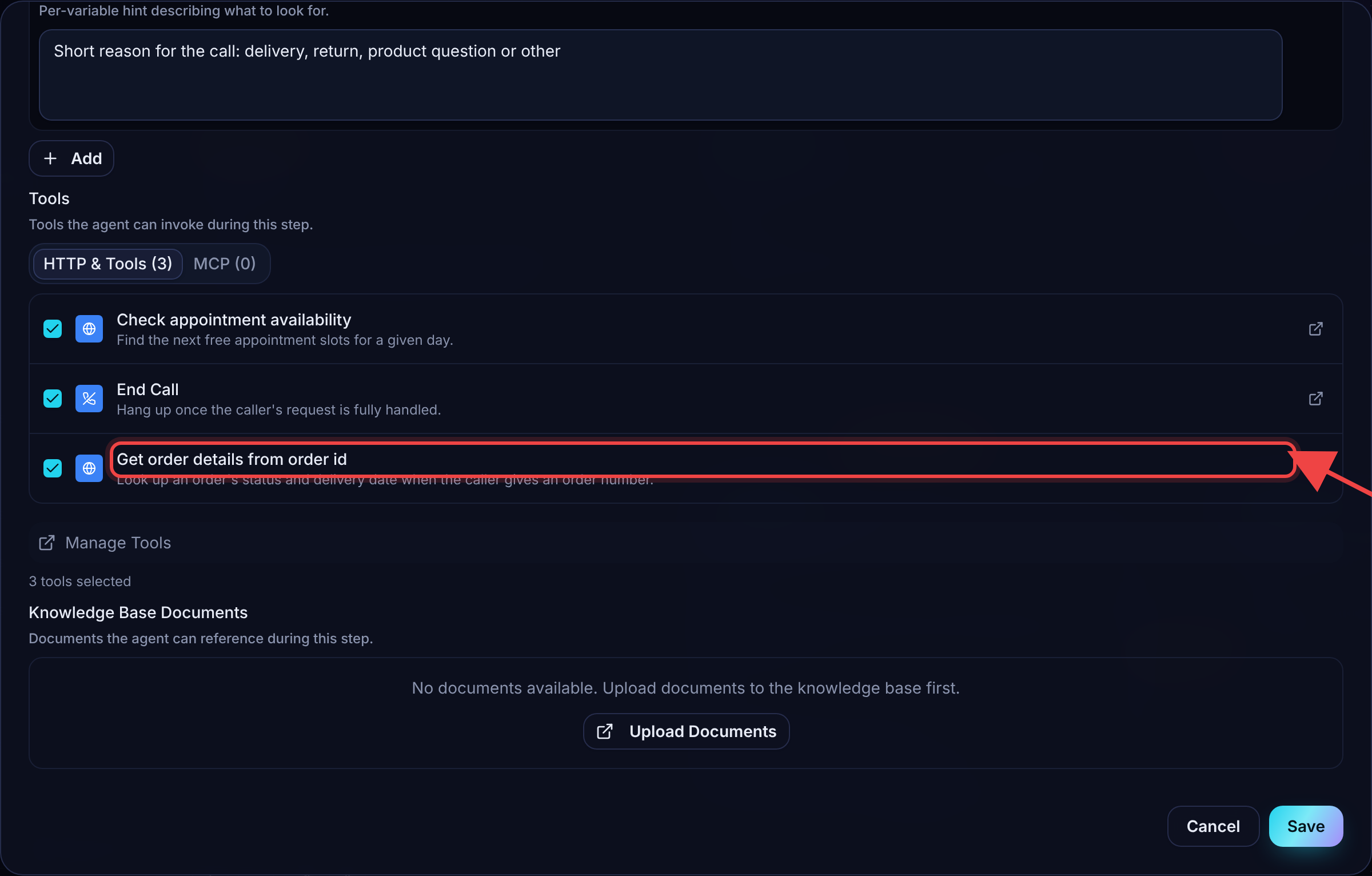
- You can attach multiple tools to a single node
- All the tools that you have created will be available for selection in the node
- Tools are only callable when attached to that node
- The LLM will choose which one to call
Tool Invocation Logic (How the LLM Thinks)
The LLM considers:- User’s spoken intent
- Node prompt instructions
- Tool name and description
- Parameter descriptions
- Missed tool calls
- Wrong parameters
- Hallucinated values
Key Best Practices
- Name tools clearly
- Write detailed, action-based descriptions
- Keep parameters simple at first
- Always include http/https in URLs
- Use plain English in node instructions
- Attach only relevant tools to each node